Component completions
- Custom-element tags, attributes, and allowed values
- Named slot suggestions
- Lit
.propertyand@eventbindings

Design Lasagna: Design System Language Server
Bring the components, tokens, and utility classes your team already publishes into the editor.
Local-first and editor-agnostic, the server reads existing manifests or discovers them from installed packages. It does not ask you to adopt a new all-in-one format.
VS Code v0.2.0 · Pre-Release · Minimum VS Code 1.90
The extension provides manifest-backed completions, hovers, diagnostics, and migration actions. The Language Server gives feedback in the context where it matters: while you are writing code.
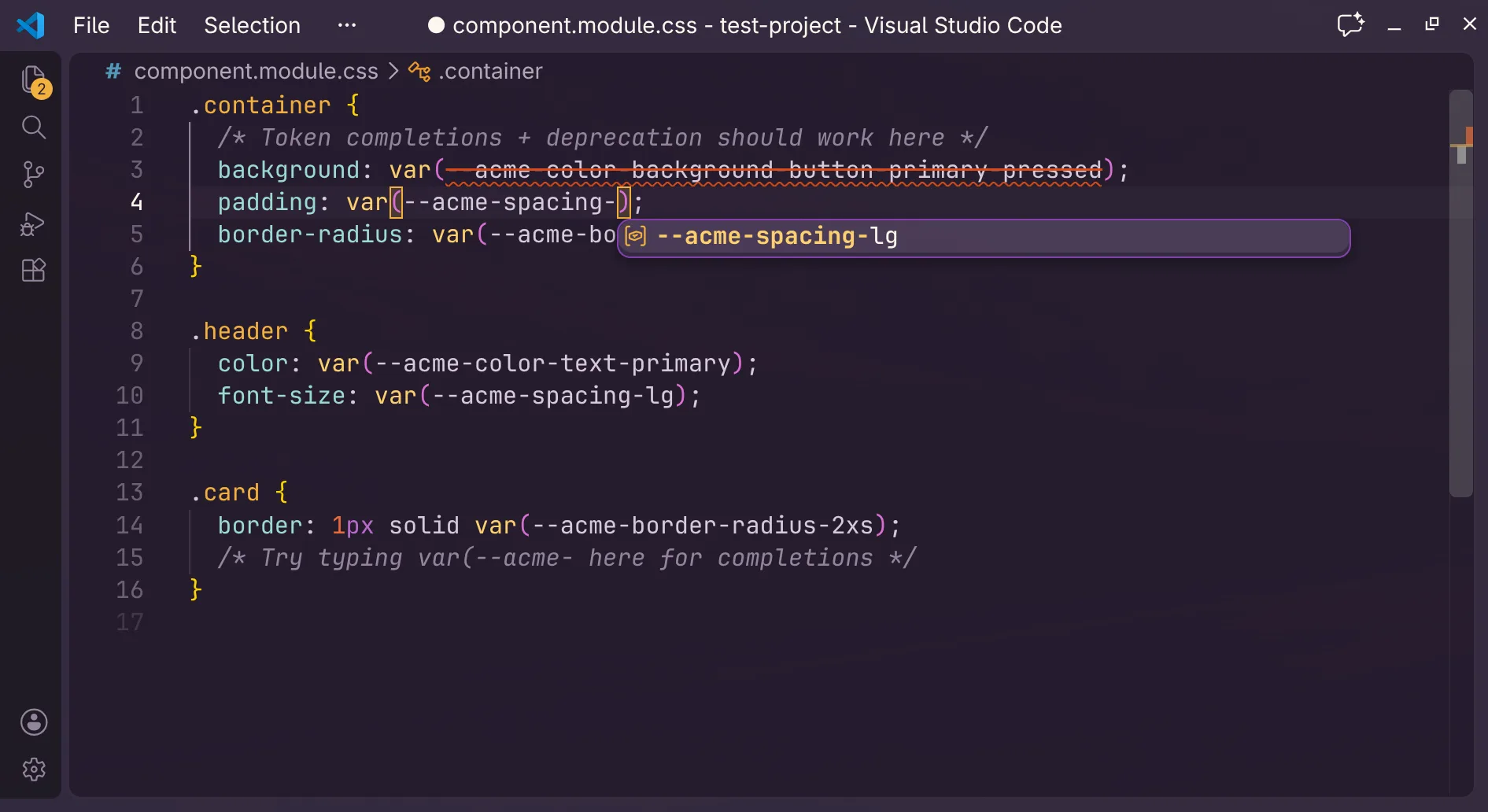
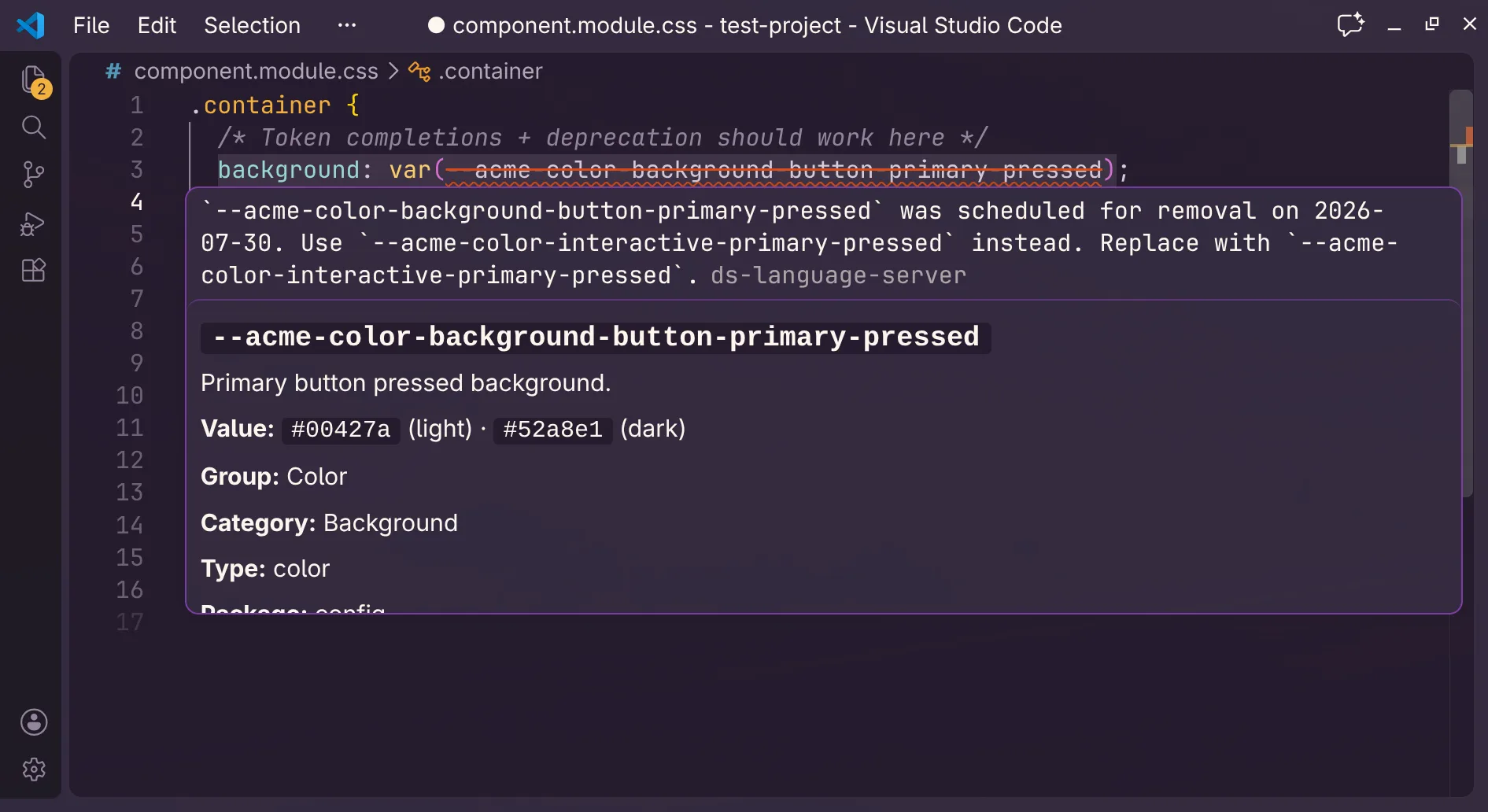
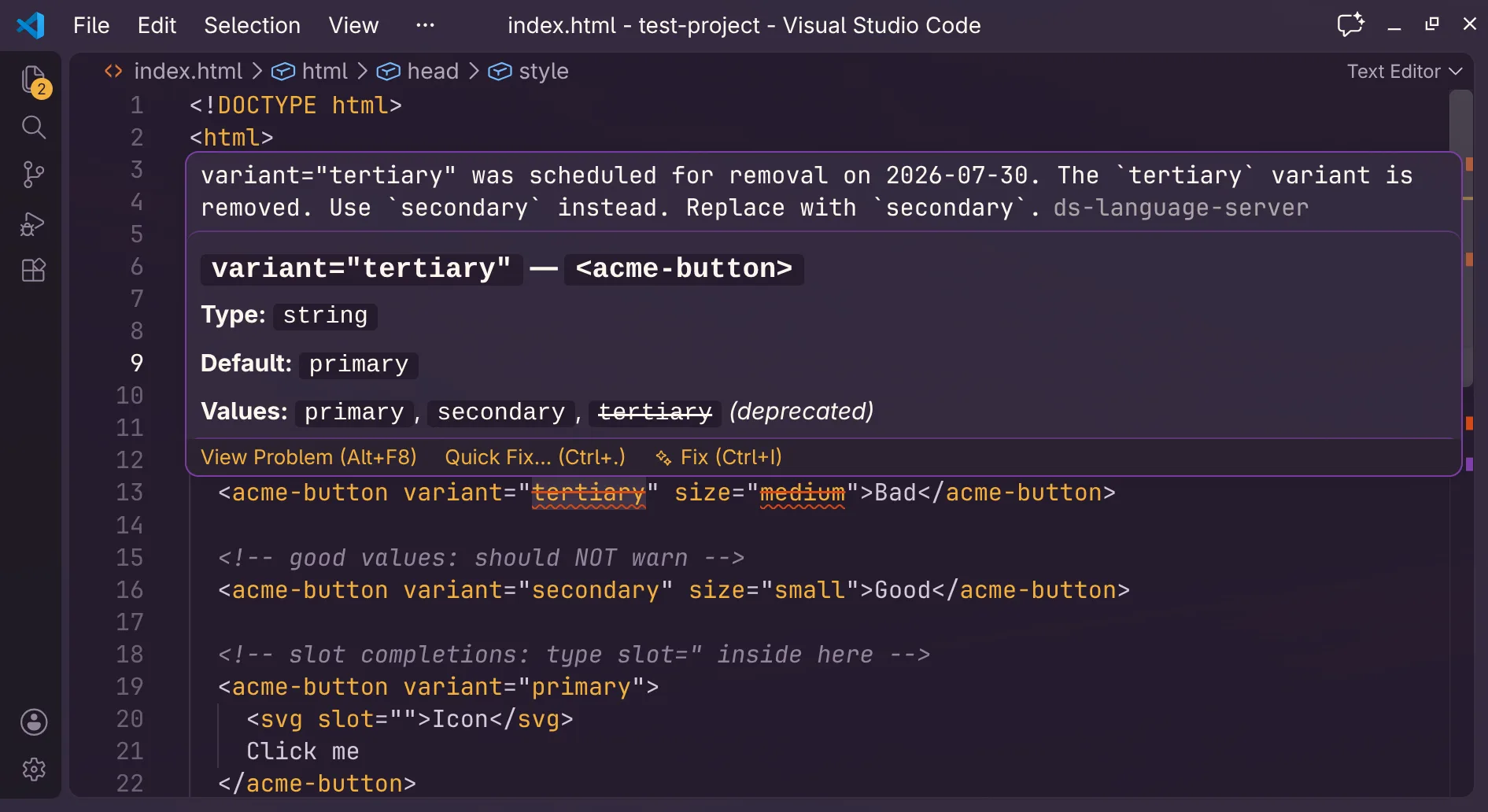
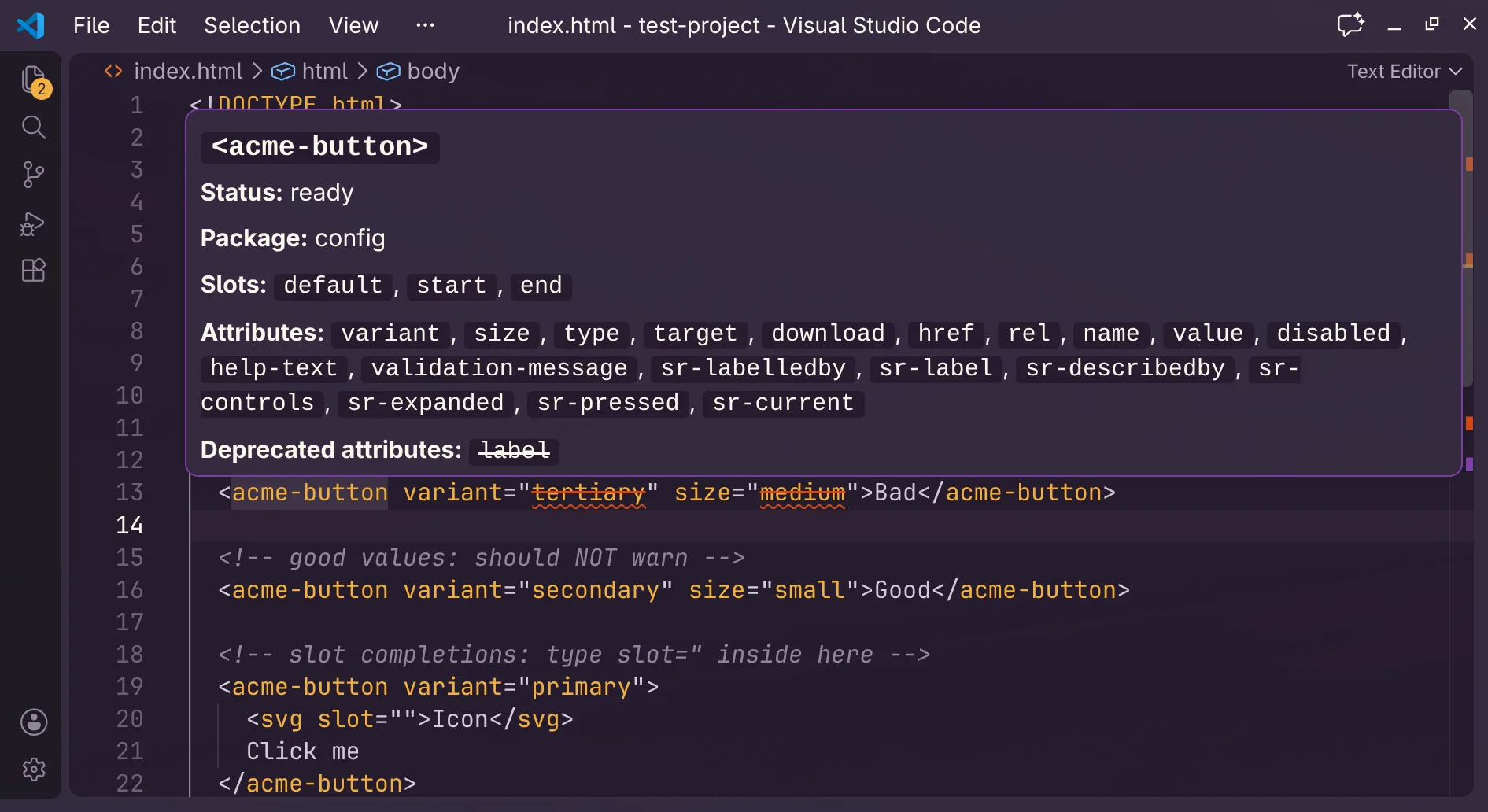
Features draw on the information in your manifests and the syntax supported by your editor integration.
.property and @event bindingsvar(), with resolved values::part()classMap callsDiscover manifests from installed packages or connect local files. Read the setup documentation
One server, three sources
The Language Server combines these three familiar sources into one editor experience—without asking a team to move its data into a new format.
Custom Elements Manifest
Token document
Utility manifest
One local process
Completions, hovers, diagnostics, and migration actions in the editor.
Get started
The VS Code integration activates for web-focused files and connects to the manifests in your workspace.
Editor integration
Completions, diagnostics, hover details, and migration actions in supported web files.
Install Pre-Release from the VS Code Marketplace
v0.2.0 · Pre-Release · Minimum VS Code 1.90
Development integration
Registry submission awaiting review. No public registry install is available yet.